





Professional USB duplication systems built for control, consistency, and scalable production.
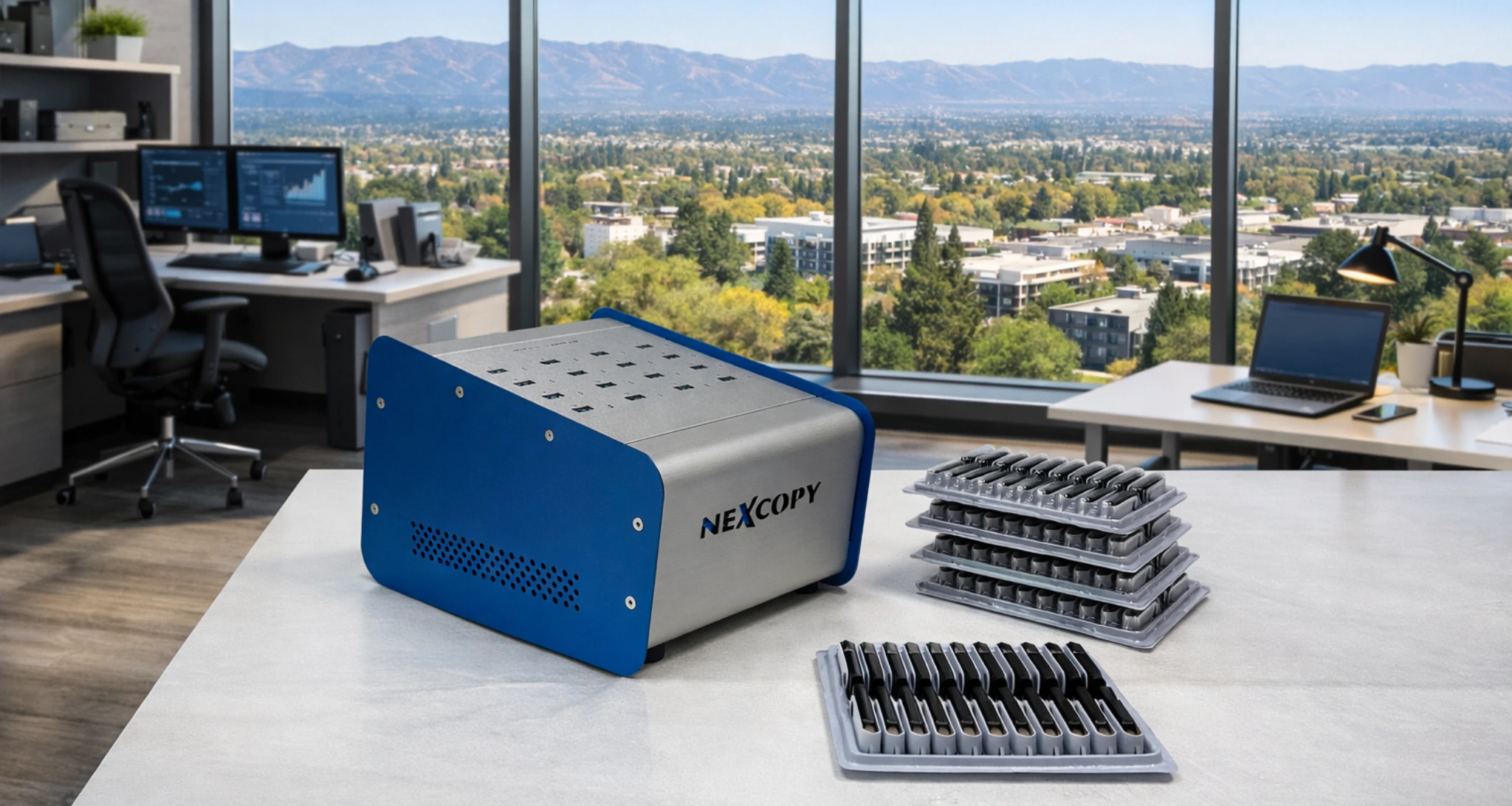
A USB duplicator is a dedicated hardware system designed to copy data from one master USB flash drive to multiple target USB drives simultaneously. Unlike standard computer file copying, professional USB duplicators perform reliable device-level duplication, support binary sector copying, verify copied data, and provide consistent results for manufacturing, software deployment, media distribution, healthcare, government, and enterprise production environments.
Nexcopy manufactures professional USB duplicators trusted by manufacturers, healthcare organizations, government agencies, military contractors, and enterprise IT teams that require precision, reliability, and control beyond basic file copying. Whether duplicating a handful of drives or producing thousands of identical devices, Nexcopy systems are engineered for dependable operation and repeatable performance.
Nexcopy offers both advanced PC-based duplication systems with controller-level configuration, device customization, and proof-of-performance verification, as well as high-speed standalone USB duplicators designed for simple, efficient production without requiring a host computer.
What is a USB duplicator?
A USB duplicator is designed to copy data to USB flash drives using either standard file system–level duplication or device- and controller-level operations, depending on the workflow. In advanced configurations, controller-level features can be applied that operate independently of the operating system’s file copy process and are not accessible through standard OS tools.
This approach ensures predictable behavior, consistent performance, and identical results across large batches of USB media.
Types of USB duplicators
PC-based USB duplicators
PC-based systems connect to a Windows workstation and provide the highest level of configuration and control. These platforms support advanced controller-level features such as CD-ROM emulation, serial number control, and vendor-specific commands.
Standalone USB duplicators
Standalone duplicators operate without a computer and are optimized for speed and ease of use. They are well suited for high-volume duplication where advanced controller configuration is not required.
Compare Nexcopy USB Duplicators
Nexcopy offers PC-based and standalone USB duplicators for applications ranging from small production runs to high-volume flash drive duplication. Use the comparison below to identify the platform that best matches your production requirements.
| Model | Targets | Platform | Primary Use |
|---|---|---|---|
| USB160PRO | 16 | PC-Based | Advanced duplication and controller-level configuration, including write protection, CD-ROM emulation, serial-number control, descriptor editing, and verification. |
| USB160PC | 16 | PC-Based | Managed USB 3.0 duplication for production environments that need flexible copy modes, job control, reporting, and data verification. |
| USB104SA | 4 | Standalone | Compact duplication for small batches, field use, service departments, and locations where a dedicated computer is not practical. |
| USB115SA | 15 | Standalone | Routine production runs requiring dependable multi-target duplication without a host computer or software installation. |
| USB131SA | 31 | Standalone | Higher-volume duplication for manufacturing, fulfillment, deployment, and other production workflows requiring many identical USB drives. |

Controller-level capabilities
- Hardware-enforced write protection
- CD-ROM and multi-LUN emulation
- Partition and device behavior control
- Secure data streaming and verification
- Repeatable production and validation workflows
Current USB duplicators
Legacy USB duplicators
Older USB duplicator models remain available for compatibility with established workflows.
Need Help Choosing the Right USB Duplicator?
Not sure which model fits your workflow? Read our complete USB flash drive duplicator buyer’s guide to compare PC-based vs. standalone features and speed requirements.
Exploring options before buying? Review the top 10 common pre-purchase questions Nexcopy receives for detailed breakdowns on write protection, multi-LUN setups, and job automation.
Frequently Asked Questions About USB Duplicators
1. What is the difference between file-level copying and sector-level Device Copy?
File-level copying transfers selected files, while sector-level Device Copy creates a bit-for-bit copy of the entire master drive. A file-level copy places files onto an existing partition and file system managed by the operating system. Device Copy duplicates the underlying drive structure, including the Master Boot Record (MBR), boot sectors, hidden partitions, Linux partitions, unallocated sectors, and proprietary formatting that may not be visible through standard file-copy tools.
2. How does a USB duplicator create hardware write-protected flash drives?
Hardware write protection is created by sending a controller-level command directly to supported USB flash media. On compatible media, a Nexcopy PC-based system such as the USB160PRO uses a vendor-specific command to change the controller’s read-and-write behavior. This can configure the flash drive as a hardware-enforced read-only device rather than relying on a Windows setting, registry change, or software permission.
3. Can one USB flash drive appear as multiple drives?
Yes. Supported USB media can be configured with multiple Logical Unit Numbers, commonly called Multi-LUN. A compatible Nexcopy PRO system can configure one physical USB flash drive to appear as separate devices to the host computer. For example, one portion may appear as a read-only virtual CD-ROM while another appears as a standard rewritable storage drive.
4. Why is dedicated power important in a USB duplicator?
Dedicated power helps maintain stable voltage and communication across all target USB ports during duplication. Standard USB hubs may share limited power across multiple connected devices, which can cause voltage drops or communication errors when several flash drives draw power at the same time. Nexcopy duplicators use an internal power distribution design intended for continuous multi-target operation and more consistent production results.
5. Can standalone USB duplicators load unique data onto each drive?
No. Standalone USB duplicators are designed to place the same master image onto every connected target drive. Jobs requiring unique data on each device, such as individual serial numbers, software keys, security certificates, encryption files, or customer-specific content, require a PC-based Nexcopy system and supported data-streaming software.
6. What can be included in an automated USB data-streaming job?
An automated data-streaming job can combine shared files with unique files assigned to individual USB drives. The system can copy common content, such as software installers, product files, documentation, or user manuals, to every target while also placing unique data, such as serial-number files, activation keys, security certificates, or device-specific configuration files, onto designated drives during the same production process.
7. Can USB 2.0 and USB 3.x flash drives be duplicated at the same time?
Yes, but mixing USB flash drives with different performance levels can reduce overall production speed. A duplication system may need to accommodate the slowest connected device, especially when flash drives use different controllers, memory types, or write-speed capabilities. For more consistent performance and verification results, matching USB media should be duplicated in separate production batches whenever possible.
8. How does a USB duplicator verify copied data?
A USB duplicator verifies data by reading the copied information from each target drive and comparing it with the master source. Depending on the selected copy and verification mode, the system checks the recorded files or data blocks after writing is complete. A target that does not match the master is identified so it can be removed from the production batch and inspected or replaced.
Get Expert Guidance
Selecting the right USB duplicator depends on your production workflow, configuration requirements, and long-term scalability.