


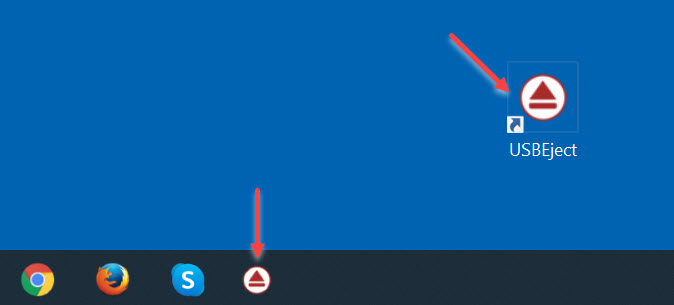
Lake Forest, CA – December 31, 2021 – Nexcopy Inc., a leading manufacturer of advanced flash memory solutions, released a free utility to easily eject USB flash drives from Windows with a single click, or eject USB flash drives from the command line within Microsoft Windows.
Microsoft is a leading partner with the USB Implementers Forum, the regulatory agency which oversees the USB specification. The USB-IF spends a great deal of time promoting the technology as the preferred solution for plug-and-play connectivity of storage devices and interface devices such as keyboards, printers, and related peripherals.
USB is the number one method users connect storage devices to the Windows operating system; however, Microsoft does not provide a quick and easy method to disconnect these storage devices from Windows.
Nexcopy Incorporated, a world leader in USB flash drive duplicator systems and other memory storage technologies, released a free utility to quickly eject USB flash drives from any Windows operating system.
The free tool does not require installation, does not require administrator rights to run, and is free to use and redistribute to an unlimited number of computers. The utility is called USB Eject Button.
The USB Eject Button may also be used to eject USB flash drives from the command line within Windows.
“Microsoft provides a software tool called DiskPart to manage and control storage devices,” comments Greg Morris, President of Nexcopy, “however, the DiskPart tool is not user friendly and is too advanced for the common computer user. Nexcopy wanted to solve this simple, yet common problem of quickly and easily ejecting USB flash drives from Windows. We accomplished our goal with the free USB Eject Button application.”
Morris continues, “Since 2021 was a difficult year for so many, we decided to do something nice in our own special way and create this utility for free distribution to the USB flash drive market. Nexcopy created the USB Eject Button in mid-December and wanted to release it for the new year. I guess this is our way of bringing some goodwill to the public.”
The USB Eject Button is available via the download link below.
https://www.nexcopy.com/downloads/USBEject.zip
In summary, the USB Eject Button executable file does the following:
- Single-click eject USB flash drives from Windows
- Eject multiple USB flash drives from Windows through repeated use
- Eject the last USB drive connected
- Eject USB flash drives using the command line
- No installation required because it is a portable application
- Administrator rights are not required
- USB Eject Button is free and will always remain free
- USB Eject Button may be distributed or bundled with other software
Product Information:
- Free
- Compatible with any Windows version
- Compatible with both 32-bit and 64-bit systems
Video – Easily Eject USB Flash Drives from Windows